Your deadlines.
One honest timeline.
Slate is a Chrome extension that turns your Canvas into one clear list of everything you're supposed to do, including the deadlines that only exist in your syllabus. It plans tonight around the hours you have, turns every exam into study sessions on the days before it, and learns how long your work actually takes you.
Built by an SMU freshman who missed a reading in week one.
Installs free in about 30 seconds. Syncing your Canvas is $6.99 a month, cancel anytime. No password, no token: it works through your own Canvas login.
Read-onlySlate reads your Canvas. It never submits, edits, or changes anything.
Slate installs on your laptop's Chrome. Phones can't run extensions, so send yourself the link for later:
is all you need to remember.
Watch it work, start to finish
From a fresh Chrome window to your whole semester: log into Canvas, pin Slate, paste your code, press Sync. Then the syllabus read, and every page. Sample data.
What it does
Finds the hidden deadlines
Slate reads your syllabus, course Home pages and Modules. Every deadline it finds carries the exact sentence it came from. No quote, no deadline: Slate never invents dates.
"Exam I will be given Mon, Sep 14" · the quote shows on every row it foundPlans your night
Pick the hours you have. Late work first, then what's due soonest. Exams turn into study sessions on the days before them, and big assignments split into parts so nothing lands on one night.
Exam Wednesday → 4 study sessions, sized by how much of your grade it's worthLearns how long things take you
Estimates blend the assignment's size, your usual times, your real times and your classmates'. The more you use Slate, the more the numbers are yours.
Your last 3 WebAssigns took 38m → the next one says ~40mReadings aren't deadlines
A reading from your syllabus is labeled reading · not due. It never piles up in red as overdue, and you can hide a course's readings in one click.
"Memory" in the syllabus → Read Module 24: MemoryDoes the grade math
Live category breakdowns, zeros flagged, and what-if projections for every course, computed from the same weights your professor set in Canvas.
"What do I need on the final for an A−?" → 91%, with the arithmeticKeeps itself current
Slate syncs whenever you open Canvas or the dashboard. Professor posts "quiz moved to Friday"? It shows up under things to know.
Hasn't synced in 12 hours? A red ! on the icon tells youWhat it costs
That's about 23¢ a day to see what's coming before it sneaks up on you.
Cancel anytime. Your code stays yours, and it unlocks everything.
Get your codeStripe checkout. The moment payment completes, your personal code is on screen: paste it into the Slate popup and you're synced. Lost it? Recover it with your email.
- Every course, the whole semester
- Syllabus reading, with the quote behind every date
- A Tonight plan that fits the hours you have
- Study sessions before every exam
- Time estimates that learn your pace
- Grade math and what-if projections
From the Chrome Web Store
"Great product, having all your assignments timed out for the year, helped me so much in keeping track of everything." Grady, SMU student · verified Chrome Web Store review
How long will it actually take?
Canvas tells you when. Slate tells you how long. Every estimate blends what Slate knows, and the sources with more evidence count more.
- Your real times. Slate counts the minutes an assignment's Canvas page is open in front of you (WebAssign, LearningCurve and quizzes run inside it). Breaks, locked screens and a sleeping laptop don't count. After you submit, it asks once how long it took.
- Your usual times. Slate asks once, right after your first sync: homework ~45m, quizzes 10-15, per course if they differ. One tap each.
- The work itself. Pages to read, words to write, problems to do.
- Classmates. Anonymous medians from students in the same course, this semester and past ones.
Minutes Slate times stay on your laptop. A time you tap in yourself joins your class's anonymous median. A range shows until the sources agree.
Tonight, planned
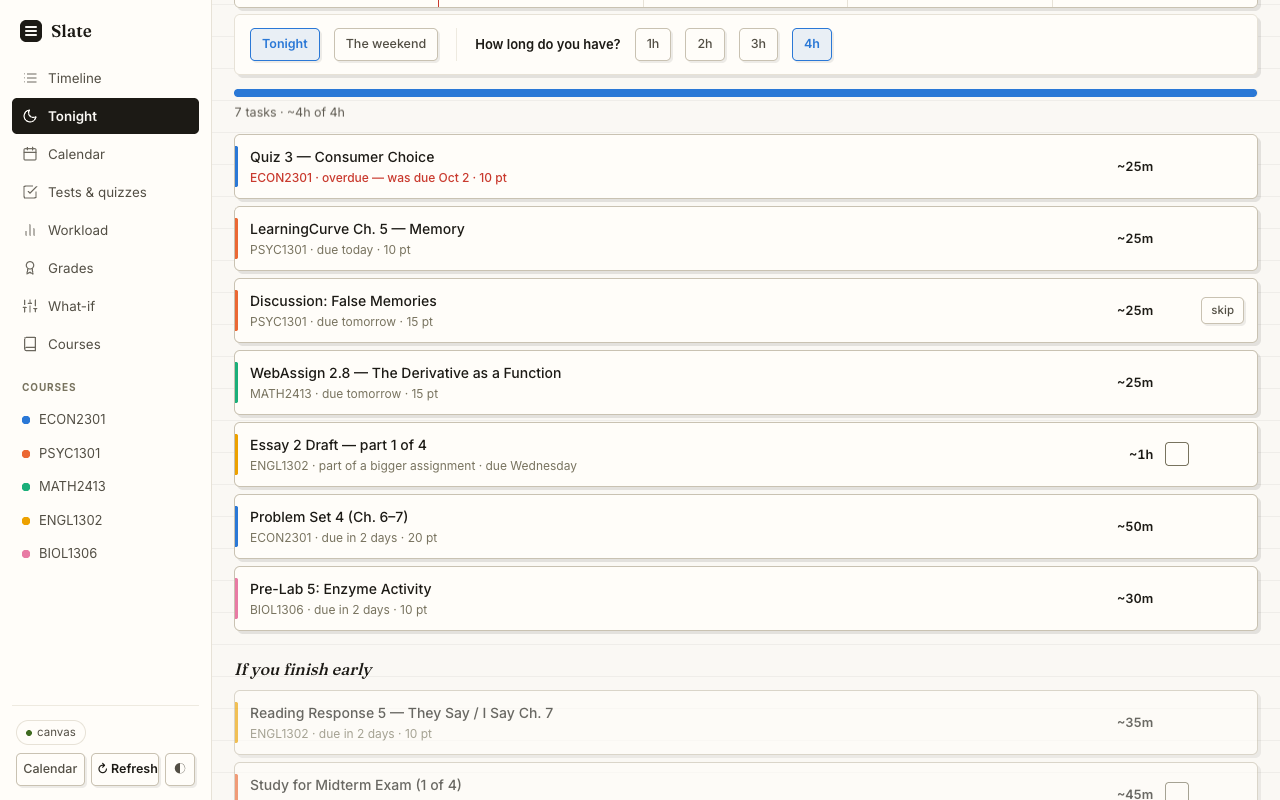
Real deadlines first, then study sessions and parts of bigger work. Sample data.
Your first sync, by the clock
- 0:00
Add to Chrome
Free, one click. Pin the icon from the puzzle piece 🧩 so it stays in your toolbar.
- 0:20
Open Canvas, press Sync
Log into Canvas like always. From that tab, click Slate, paste your code, press Sync from Canvas.
- ~0:50
Your timeline is ready
Every Canvas assignment, quiz and exam, on one page, in the order it's due.
- 1–3 min
Syllabus deadlines arrive
Slate reads your syllabi in the background and adds what Canvas never listed. Keep Chrome open; the page fills in by itself.
The first time you open your dashboard, Slate asks how long homework, quizzes and readings usually take you (one tap each). After that it re-syncs on its own whenever you open Canvas. The full first-day walkthrough
Eight pages, one job each
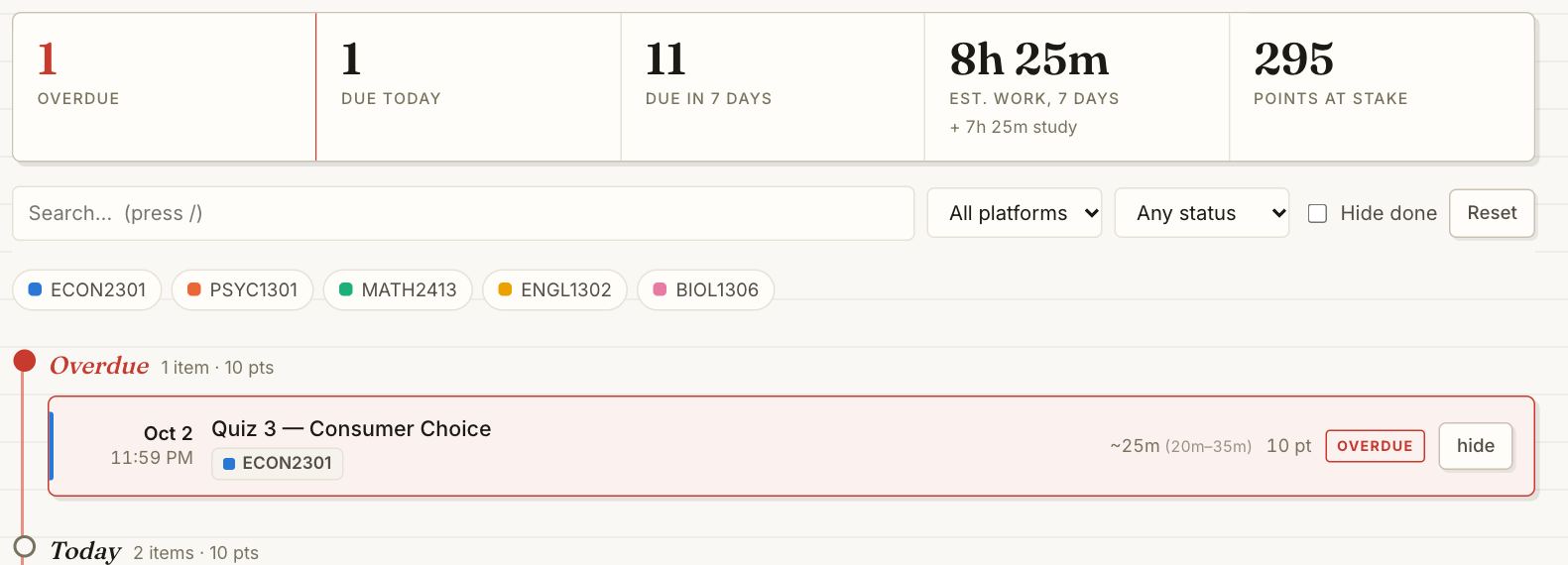 TimelineEverything you owe, by when it's due.
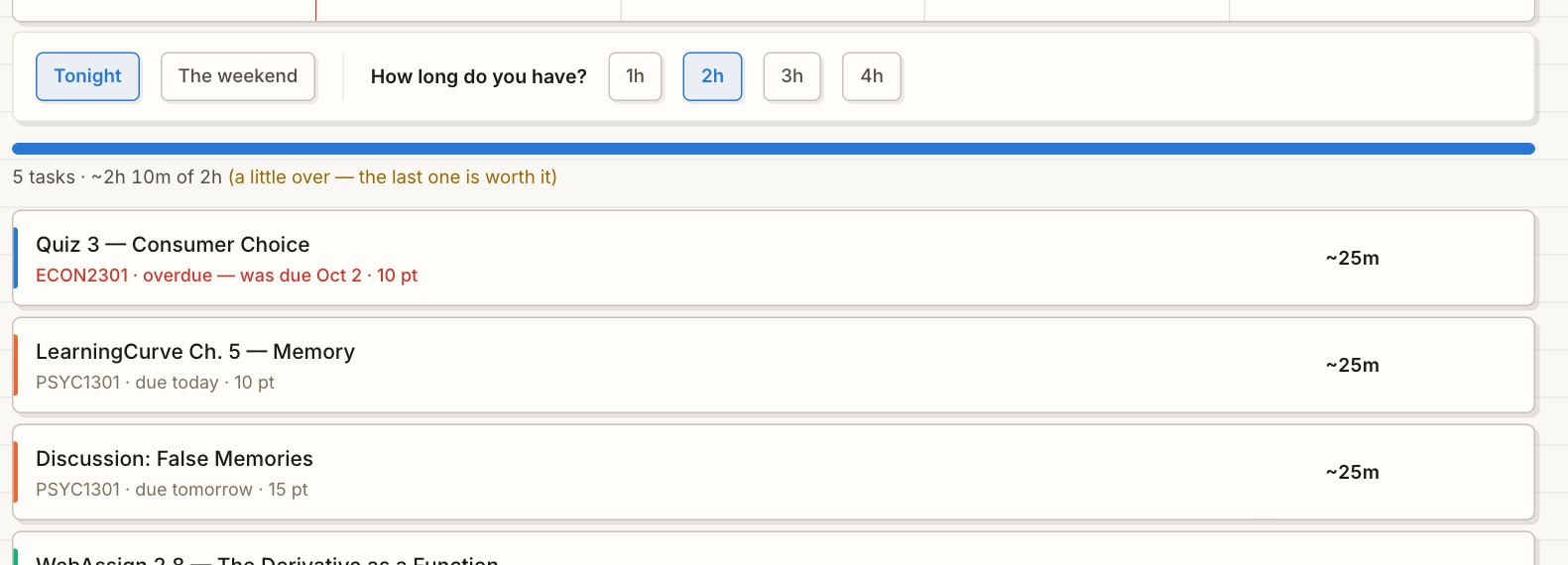 TonightSay how long you have. Get a plan that fits.
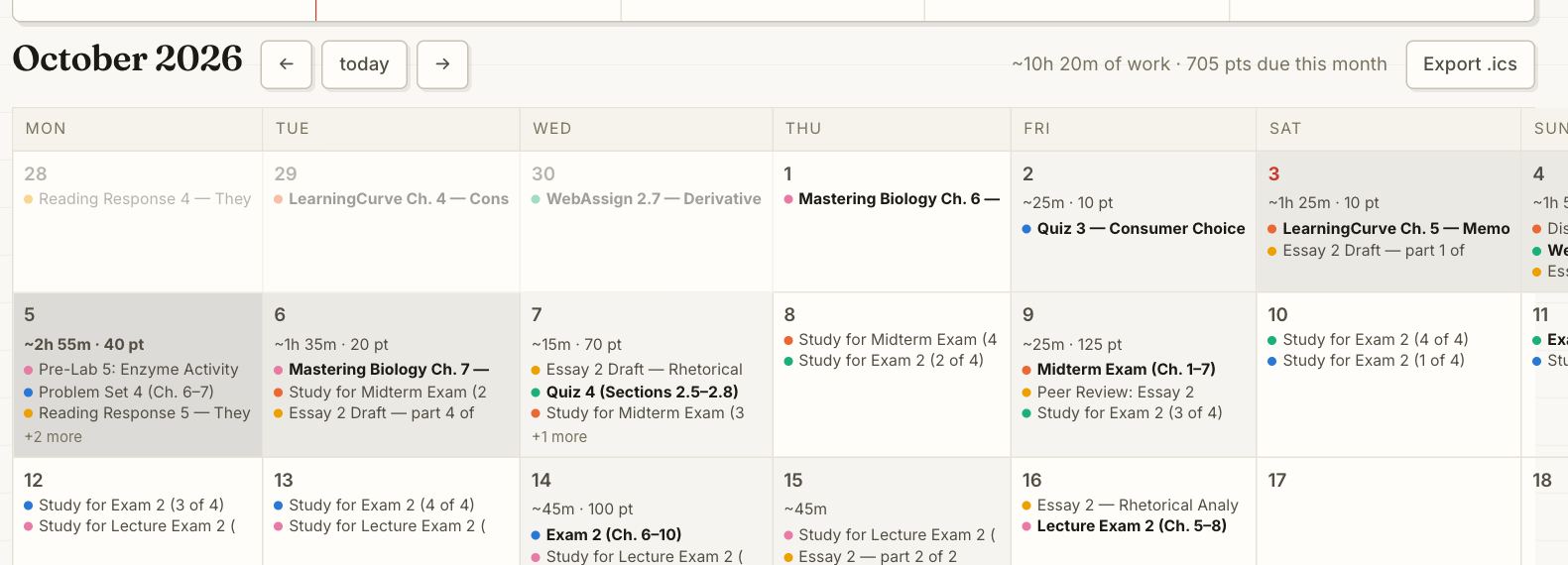 CalendarSee the heavy weeks before they hit.
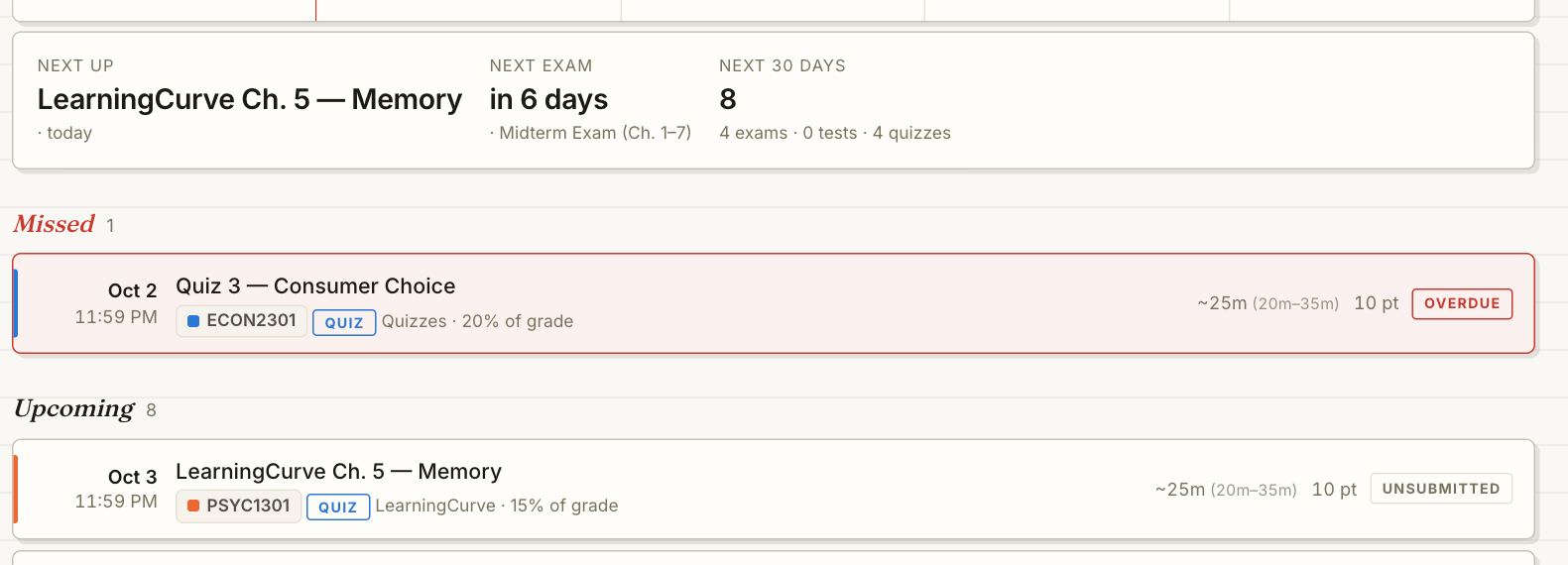 Tests & quizzesExams and quizzes, even syllabus-only ones.
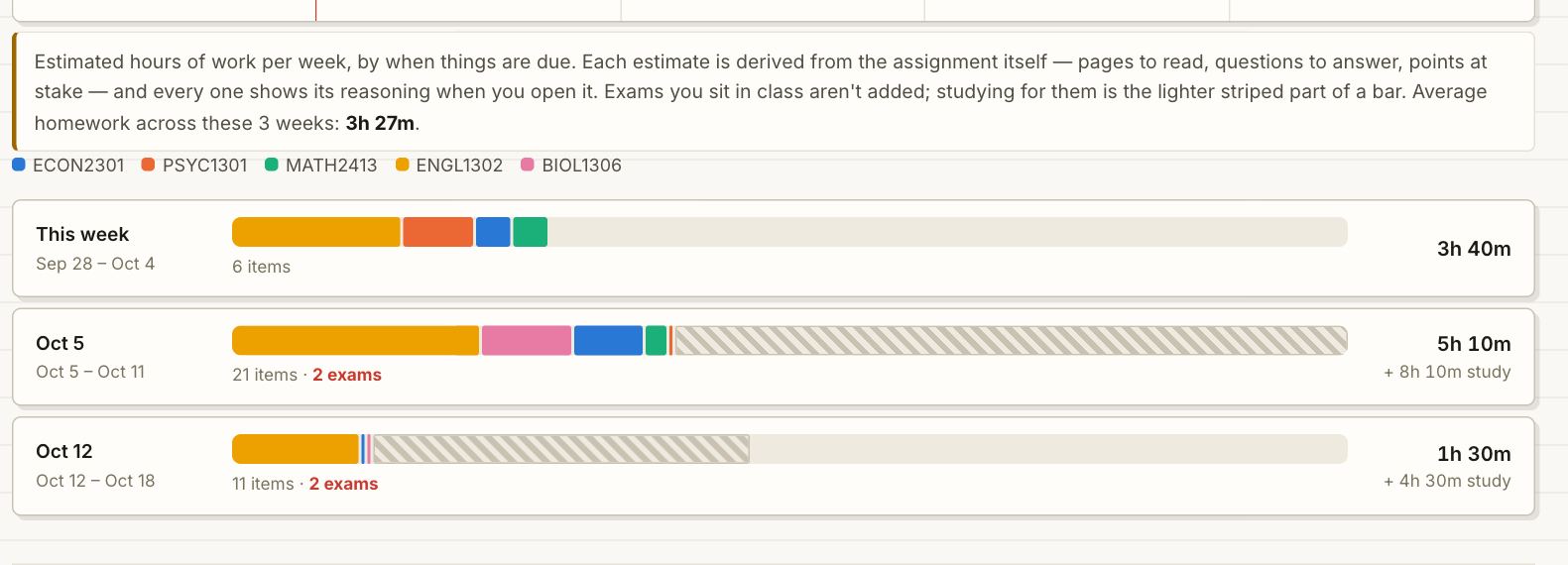 WorkloadHomework hours per week, plus study time.
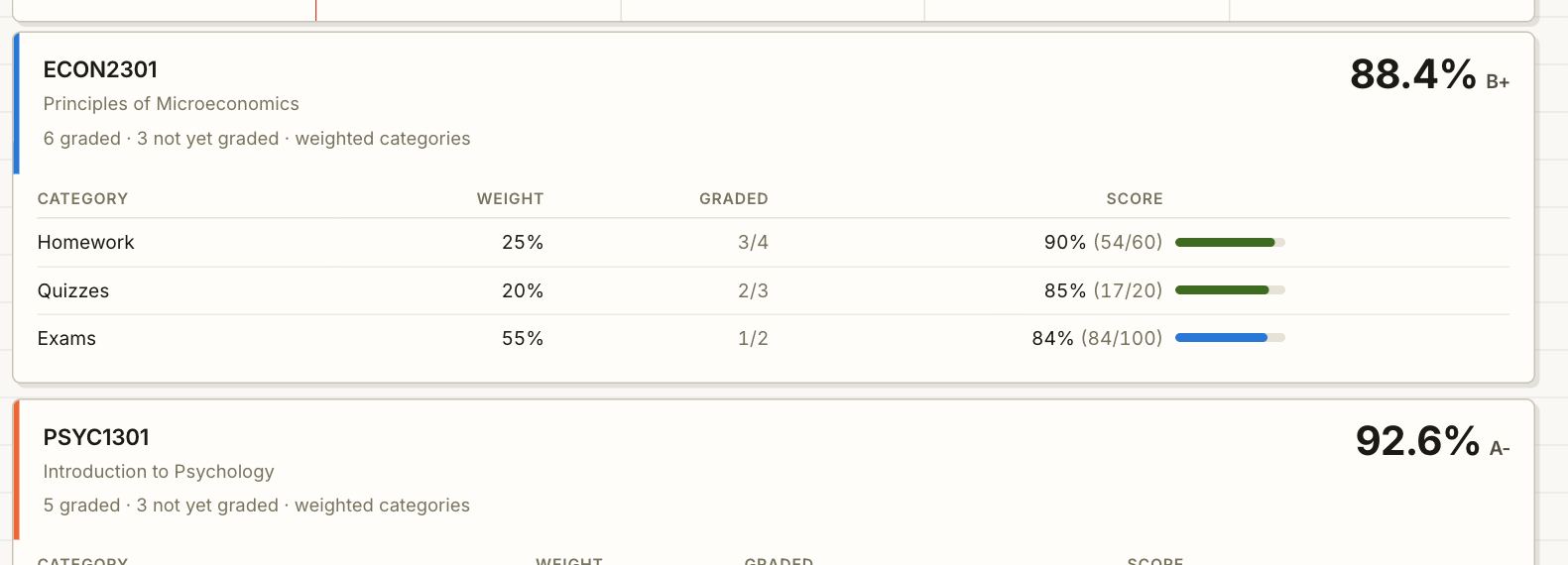 GradesCategory breakdowns, zeros flagged.
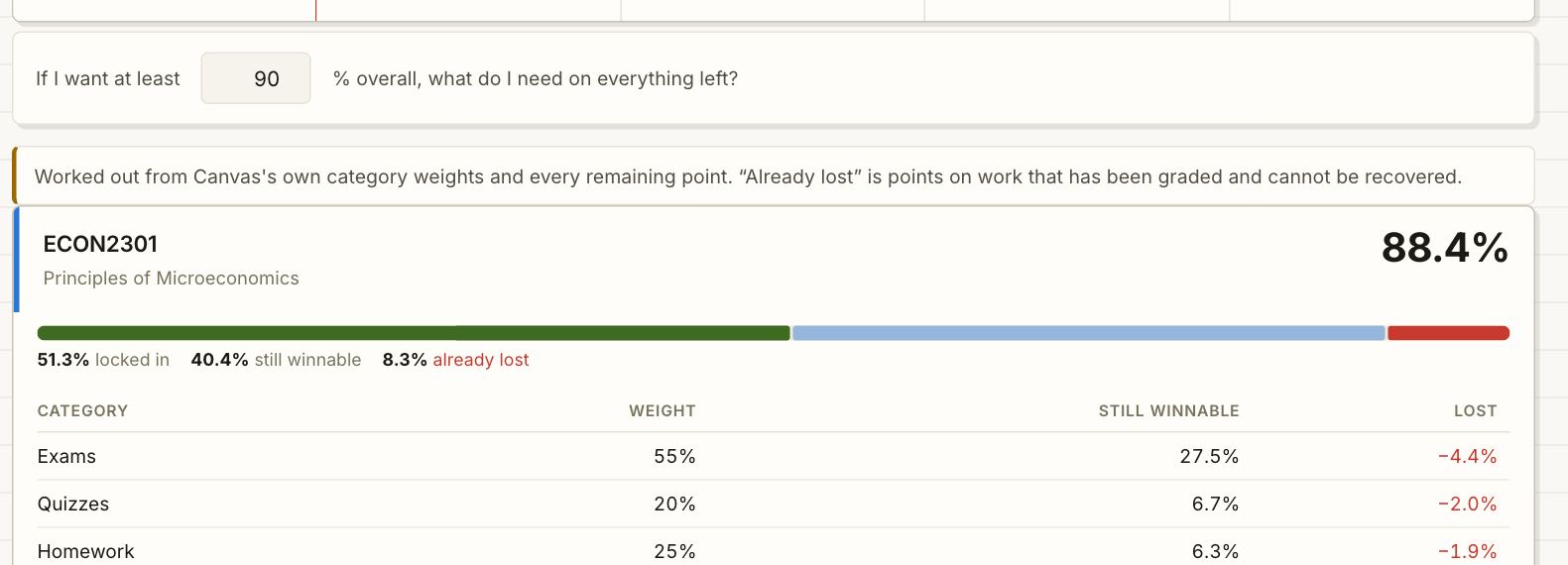 What-ifWhat you need on the final, with the math.
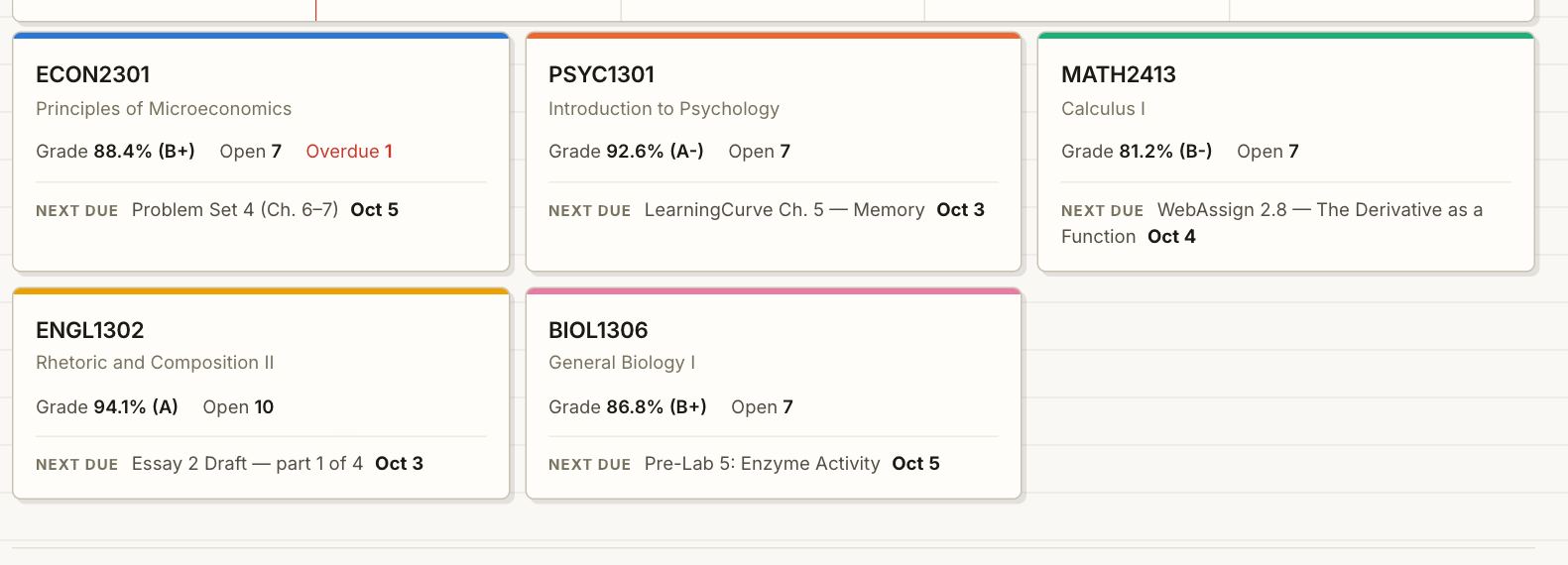 CoursesOne card per class, next thing due.
Read-only, and honest about it
- It never submits, edits, deletes, posts, or messages anyone. Checking something off in Slate is a note to yourself, not a submission.
- Chrome's install box says Slate can "read and change" site data. That's Chrome's wording for any extension that can see a website; Slate's code only reads.
- Your courses, grades, check-offs and timed minutes stay in your browser. What leaves: your syllabus and Home pages, so their dates can be read (one switch in the popup turns that off), and, when you log how long something took, an anonymous minute count for the class medians.
- No password, no token. Estimates say how they were made, stale data is labeled, and syllabus dates show their source sentence.
Questions
Does Slate change anything in my Canvas?
No. Slate is read-only. It can't submit work, change grades, or post anything, and checking an item off in Slate never touches Canvas.
Why did my first sync take a couple of minutes?
Your Canvas timeline shows up in under a minute. Reading every syllabus takes 1 to 3 minutes more the first time; that's the part that finds deadlines Canvas doesn't list. After that, syncs reuse what's been read and run on their own whenever you open Canvas.
How does Slate know how long something will take?
It starts from the assignment itself (pages, words, problems) and whatever usual times you give it, then learns: it counts the minutes an assignment's Canvas page is open in front of you (breaks don't count) and asks once after you submit. After a few real times, your own pace outweighs the guesses. Every estimate shows exactly what went into it.
Does it tell me to "do the exam" tonight?
No. Exams become study sessions on the days before them, sized by how much of your grade the exam is worth. Big assignments split into parts the same way. Real deadlines today and tomorrow always come first.
Will it work at my school?
If your school uses Canvas, yes. It was built and tested at SMU and is designed to work with any school's Canvas, including the 140+ schools (like ASU and Boston College) that run it on their own address. If Chrome asks to allow your school's Canvas site, that's the one-time step for those.
Tabs opened and closed by themselves during sync.
That's Slate reading your Simple Syllabus documents, which only open in a real tab. They close themselves; leave them alone.
Can I use it on my phone?
Chrome extensions only run on a laptop or desktop. You can export your deadlines to your phone's calendar from the Calendar page.
How do I cancel?
Any time, yourself, in a few clicks at slateforcanvas.com/manage (enter your checkout email and Stripe sends you a sign-in link). Or email me and I'll cancel it. You keep access through the month you paid for. Payments aren't refunded, except billing mistakes: see the refund policy. Lost your code? Recover it with your email.
More in the full guide: what every page does, and office hours for when something looks off.
Your whole semester, on one page, tonight.
Add Slate, open Canvas, press Sync. Your timeline is ready before your coffee is.
Read-onlyFree to install · $6.99/month to sync · cancel anytime